How to Download Your NV Energy Usage Data
Follow these 5 quick steps to download your usage data from NV Energy. Once you have the ZIP file, come back here to compare rate plans and see what you could save.
← Back to calculatorLog in to your NV Energy account
Go to the NV Energy website and sign in to your account.
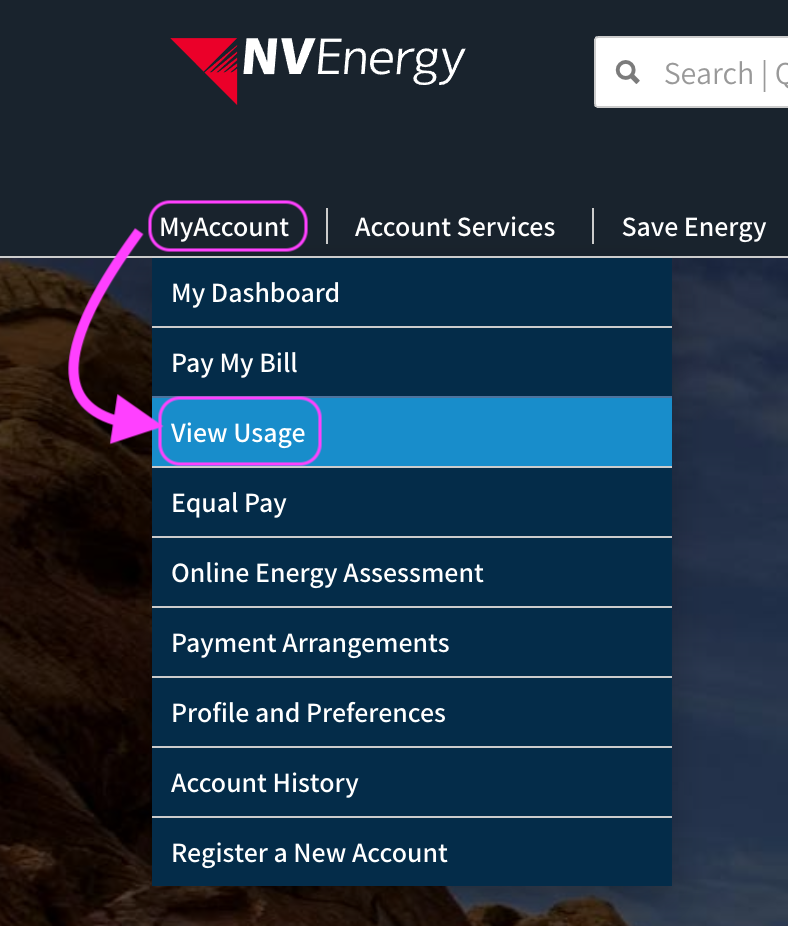
Open "View Usage"
After logging in, hover over the "My Account" link near the top-left, then select "View Usage".
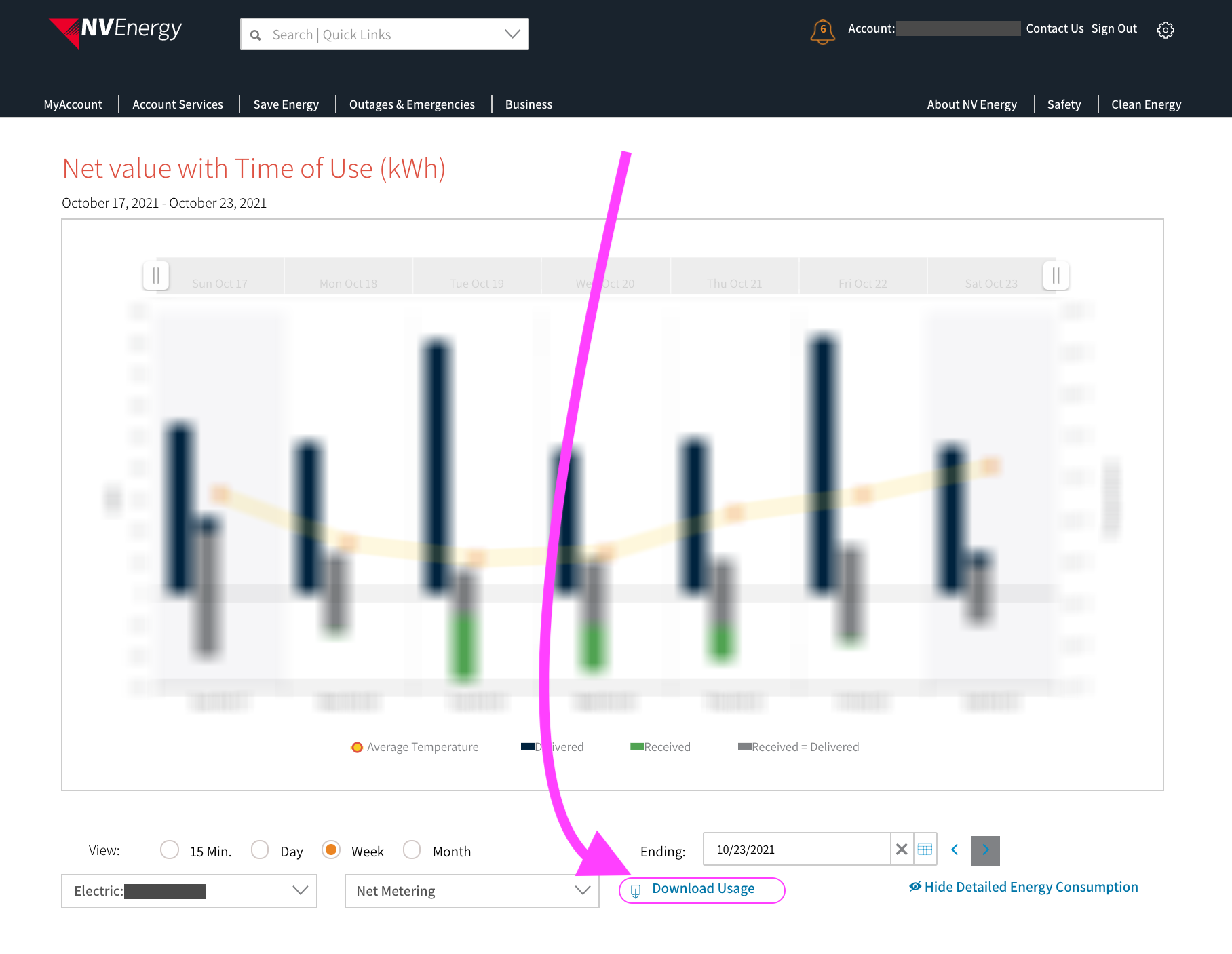
Click "Download Usage"
At the bottom of the View Usage page, click the "Download Usage" link.
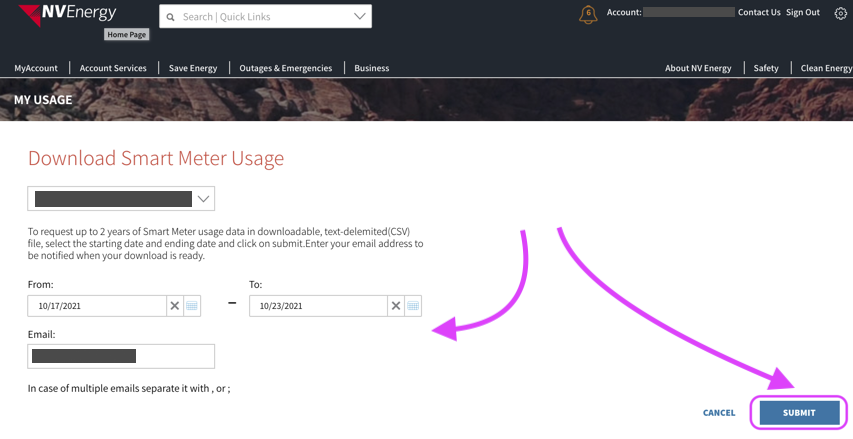
Request your data
Enter the start & end dates for the period you want to analyze. Confirm your email address is filled in, then click Submit.
Download the ZIP when it's ready
Your request will show as Pending. NV Energy will email you once the file is ready — then log back in, return to the Download Usage page, and click the Download link next to your request to save the ZIP.
Preparation time varies: usually around an hour, but it can take 24+ hours for very large date ranges.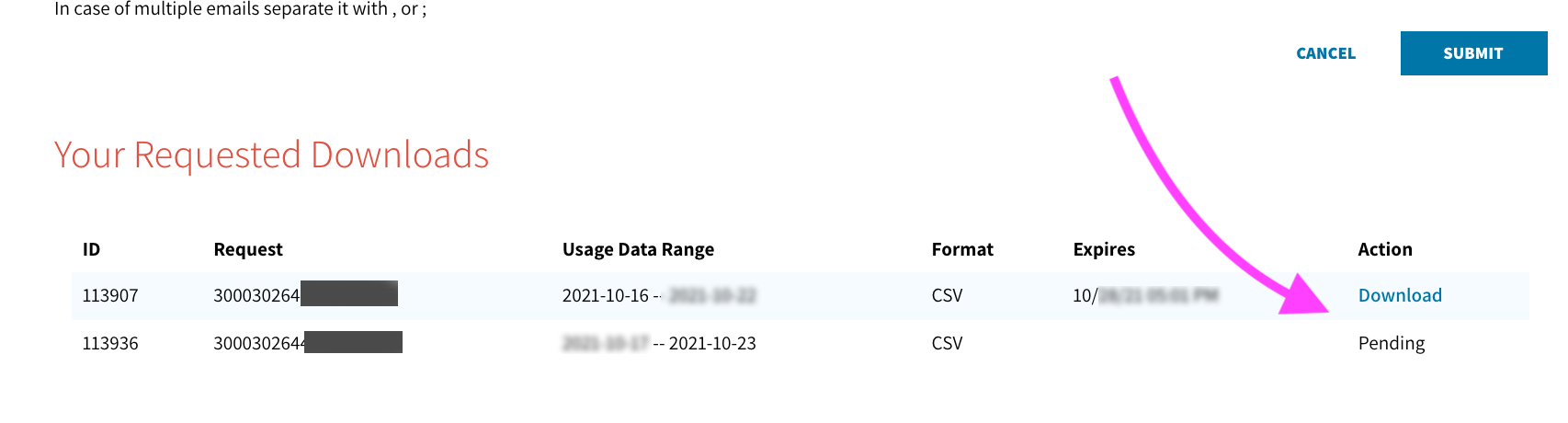
That's it — you're ready to save money!
Head back to the calculator and drop in your ZIP file. Simply switching to a different rate plan, without changing your usage at all, can save you real money — and you'll know exactly how much in seconds.
Analyze My Usage →